產品原型設計制作常用軟件工具整理
- 管理員
- 2790
- 11-08 15:43
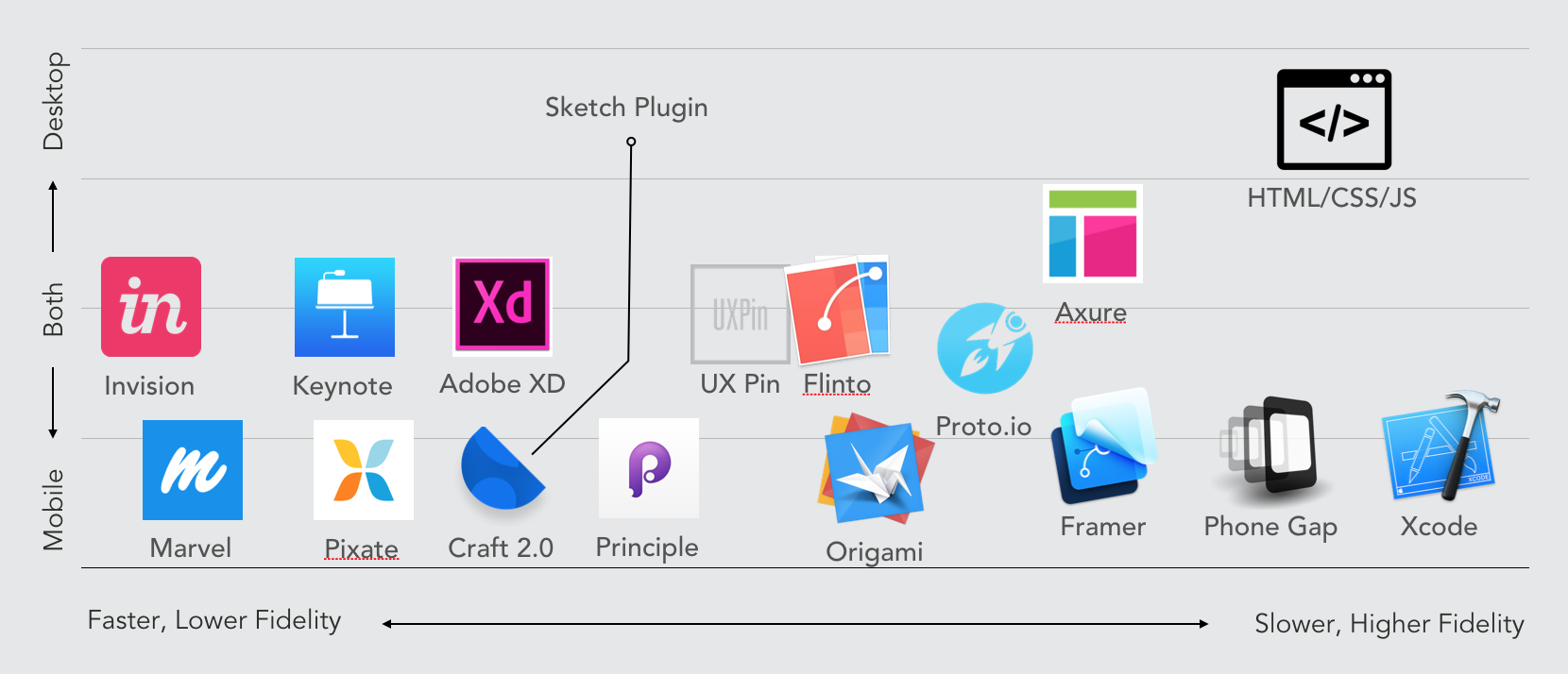
16 Prototyping Tools & How Each Can Be Used
Everyone is asking: "Which prototyping tool is the best?" That’s the wrong question.
每人都在問:"哪個原型工具是最好的?" 這是個錯誤的問題。
The correct question is: "Which prototyping tool is the best for my current objective?"
正確的問法是:"為達成我現有目標,哪個原型工具是最好的?"
Spoiler alert: everyone should be skilled in multiple prototyping tools. One is not enough. More on that later.
劇透警告:每人都應該掌握多種原型工具。一個是不夠的。稍后再談。
Ask These 4 Questions When Starting a Prototype
當開始一個原型前,先問這4個問題:
Prototyping is an intimate part of the Design Thinking process. It’s the necessary part of the design process where we get the chance to prove out our crazy ideas. And when the prototype is finished, we test it. We validate and challenge our assumptions. We adjust our designs when new information arises.
原型是設計思考過程中一個緊密的部分。它是設計過程中必須的部分,讓我們有機會證明瘋狂的想法,當原型被完成的時候,我們測試它。我們挑戰和驗證我們的假想,并當新信息出現的時候我們調整我們的設計。
But how do we know which tool to use? How far should we go with the prototype? Here are 4 questions you should be asking whenever you approach a prototype:
但是,我們怎么知道使用哪個工具?原型應該做的多細致?這里有四個問題,每當你想做原型的時候應該被問到:
Are you building for mobile, tablet, or desktop?
How high fidelity does your prototype need to be?
How fast do you need to go?
How much of the experience do you need to show?
你做這個是為手機,平板,還是電腦?
你的原型需要怎樣的保真度?
你需要多快做完?
你需要展示多少體驗?
The correct prototyping tool depends on the experience you need to create (Credit:Vignette Interactive)
正確的原型工具的選擇,取決于你需要創作的體驗。
5 Scenarios and The Right Prototyping Tools for Each
五個場景下,正確的原型工具選擇
To illustrate my point, I’m going to give you a few use cases?—?and tell you which prototyping tool is best for each. We’ll use the questions I outlined above to create the context for each scenario.
為說明我的觀點,我將給你一些案例——并且告訴你哪個原型工具是最適合每一個案例的。我們將用到上面我提到的問題, 來為每一個場景創造前后關系。
Scenario #1?—?Low Fidelity, Quick Mobile App
場景一 低保真,快速的手機應用
Building for mobile
Low Fidelity
Need to go fast!
Need to link screens together and show how they flow
為手機創作的
低保真的
需要快速產出的
需要把界面串起來,展現他們是如何聯動的。

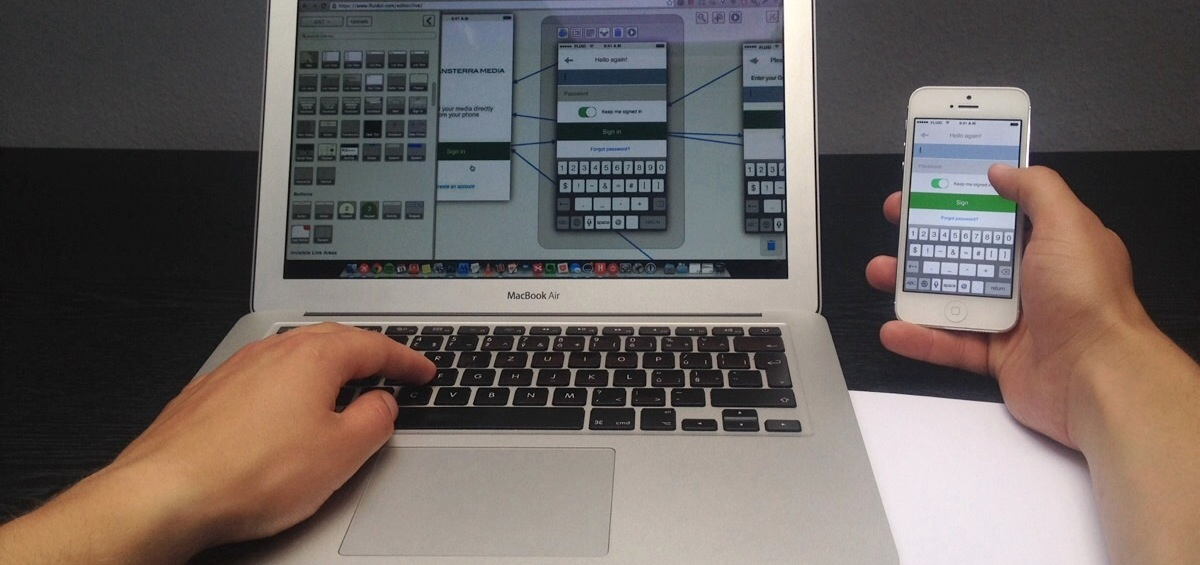
Showing the flow of an app (Credit:New Signature)
展示了一個應用的操作流
There are a ton of great tools available for this scenario. The best tools to use for this scenario are tools that can show case the flow of a whole app experience in a low fidelity way in a short amount of time. Great for tools our four objectives include:
在這個場景下,有很多的不錯的工具可以用。為這個場景使用最好的是那些——能夠低保真的短時間的展示整個應用的操作流的軟件。完成我們四個目標的偉大工具包括:
Invision
Marvel
Craft(by Invision, Plugin for Sketch)
Adobe XD
Flinto
Principle
Origami
UX Pin
Pixate
Scenario #2 —Low Fidelity Desktop Website or Web App
場景二 低保真的電腦問站或軟件
Building for the desktop browser (website)
Fidelity can be low
Need to go fast!
Need to link screens together and show how they flow
為電腦瀏覽器而做(網站)
可能是低保真的
需要快速產出的
需要把頁面串起來,且展示如何聯動的。

Showing the flow of a website (Credit:Jeremy Wells)
展示一個網站的操作流(歸功于:Jeremy Wells)
Tools are more a little more scarce for the desktop experience, as many prototyping tools tend to focus on mobile. Great tools for our four objectives include:
桌面體驗的工具不是很多,當很多原型工具傾向于集中到移動端。為四個目標的好工具包括:
Invision
Marvel
Flinto
Principle
Adobe XD
Keynote
UX Pin
Scenario #3?—?A Responsive Experience
場景三:一種響應式體驗
Building a responsive website (mobile, tablet, desktop breakpoints)
創建一個響應式網站(移動端,平板,桌面斷點)
Fidelity of the responsiveness needs to be fairly high
I don’t have a crazy deadline, but would like to be efficient
Need to link screens together and show how they flow, and show how the responsive experience breaks down
響應性對保真度需要相當高
我每一很瘋狂的最后期限,但是想要高效的
需要把界面串起來,展示他們如何聯動,并且展示如何作到的響應性。
Showing the responsiveness of a website (Credit: Web Ascender)

展示一個響應式網站(歸功于:Web Ascender)
Quick?—?a brief disclaimer: whenever a client asks me to demo "responsiveness"?—?I tend to try to reframe the conversation. Why must we prototype responsiveness? What’s the real goal? Can we show each modality separately? Prototyping responsiveness effectively can be very difficult without just going ahead and coding the front-end.
快速——簡潔的免責聲明:每當客戶要求我做一個"響應性"演示——我傾向于努力重塑對話。為何我們要原型可響應性?真正目的是什么?我們可以分開展示每個模態嗎?沒有繼續進行或前端的編碼,響應性的原型設計是相當困難的。
That being said, sometimes it’s necessary. So great tools for our four objectives include:
話雖如此,有時它是很有必要的。所以為了很好的實現四個目標的工具包括:
Raw HTML/CSS/JS (true responsiveness)
Axure (static breakpoints)
UXPin (static breakpoints)
Scenario #4?—?A Specific Feature
場景四:一個特定的功能
Building a specific animation for a mobile app
Need a really high fidelity
I don’t have a crazy deadline, but would like to be efficient.
Need to show movement, element animation, and timing well?—?I’m not concerned about flow between pages
為移動端應用,創建一個特定的動效
需要高保真效果
沒有限定期限,但是希望高效
需要展示運動,元素動銷,和時間線——我不介意界面間的流動效果
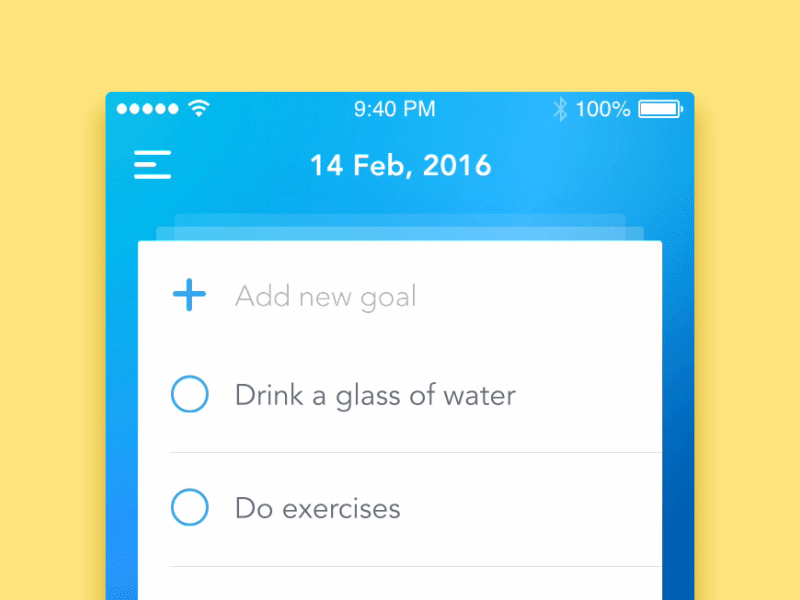
Showing a specific feature animation using Principle (Credit:Anna Gerasymenko)
展示一個特定的功能動效,應用的是Principle(歸功于:Anna Gerasymenko)
Prototyping a single animation can be a lot of fun, and I find that users find a ton of value in these little nuances,even when they don’t notice the animation happening.The overall experience will feel more pleasant and fluid when you take the time to "smooth the corners."
制作一個單獨的動畫很有趣,并且我發現,在這些細微差別中用戶發覺很多的價值,甚至他們沒有注意到動效發生。當你花更多的時間來"打磨棱角",整體經驗會感覺更加愉悅且順暢。
Principle (fastest way to fake it)
Adobe After Effects
Raw HTML/CSS/JS
Flinto
Origami
Phonegap
Xcode
Framer
Scenario #5— High Fidelity Experience (Mobile or Desktop)
場景五:高保真體驗(移動端或桌面端)
Building for mobile and/or desktop
Must be as High Fidelity as possible
I have time to spend on this task
Need to show the flow of screens together while also showing high fidelity animations of screen elements and features
為移動端或桌面斷創建
一定要盡可能高保真
有時間做這個項目
需要展示屏幕間的流轉,同時也要展示高保真的屏幕元素和功能的動效
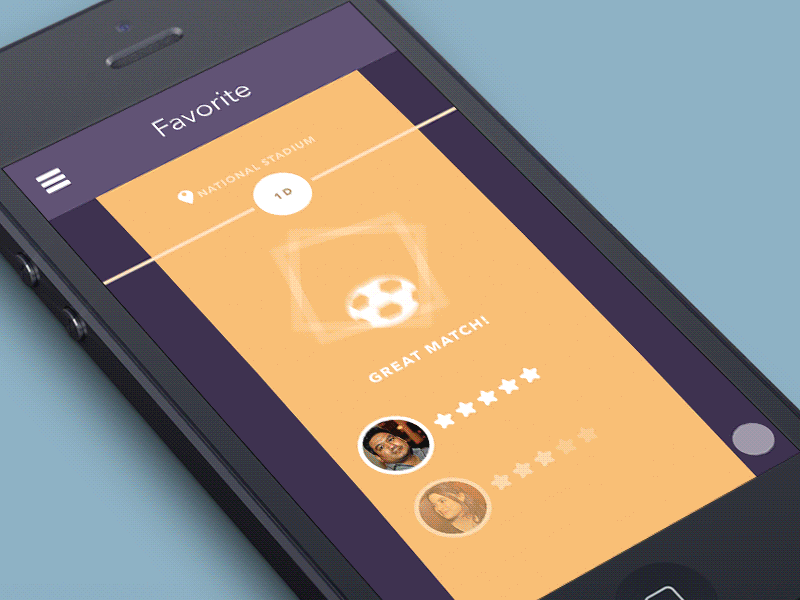
Showing high fidelity mobile flows that could just be real (Credit:Think Mobiles)
展示高保真移動端的流轉(來自于:Think Mobiles)
Sometimes your prototype needs to be really high fidelity while also showing an entire flow within the app. This is a pretty time intensive task, sometimes so time intensive that I may ask, "Why aren’t we just building this for real?"
有時你的原型需要很高保真,同事也展示應用整體的流程。這個一個很花時間的項目,有時我會反問這種花時間的項目。"我們為什么不直接做個真的?"
If you need to build a high fidelity prototype that has interesting and unique animations and allows users to navigate between pages, creating a really authentic experience?—?then here are some great tools you can use.
如果你需要創建一個有意思,有獨特動效,用戶可以頁面間操作的,且有真切的體驗的,高保真原型——那么這里有一些很棒的工具你可以用。
Mobile
Proto.io
Principle
Flinto
Origami
PhoneGap
Framer
Xcode
Desktop
Raw HTML/CSS/JS
Principle
Flinto
Framer
Xcode
Don’t Commit to Just One Prototyping Tool
不要只囚禁在同一款原型工具
There are so many prototyping tools on the market. And this article by no means is meant to be an exhaustive list of prototyping tools. Instead, it is intended to just focus on a few of the most popular tools.
市場上有很多的原型工具。本文并不意味著是一個詳盡的原型工具列表。它想只聚焦于一些流行的工具而已。
The point is, instead of focusing on the tool, focus on the goals you have for the prototype. What do you need to communicate? What do you need to show? What do you need to test? What modalities must you build for? What fidelity is needed? How fast?
重點是,把重點放在你的原型目標上,而不是聚焦在工具上。你需要傳達什么?你需要展示什么?你需要測試什么?你必須要做到什么樣的模態?需要什么樣的保真度?多快?
When you focus on the goals motivating the prototype in the first place, the tool to use will become apparent.
當你聚焦在為達成目標而做原型的時候,所要使用的工具會自動出現。
Ultimately, everyone should have experience with a wide breadth of prototyping tools. You need to be ready to use the right one when the need arises.
最終,人人都應該有寬泛的原型工具使用經歷。當需要出現時,你要能夠使用最適合的那個。
In the end, prototyping is just about communicating something.
Whenever you approach prototyping, I’d encourage you to focus less on the act of prototyping and focus more on the reason why you’re doing it. What are you trying to achieve?
最后,原型只是關于溝通什么事情。
每當你接觸原型制作,我建議你少些關注原型行為,而是多些聚焦在你為什么做這件事的原因上。你想要實現什么?
Often times I find myself prototyping a really high fidelity experience just for the sake of prototyping, instead of focusing on prototyping just the things that are needed to communicate and test the overall concept.
經常,我發現我自己實現一個高保真體驗的原型只是為了原型本身,而不是聚焦在原型需要溝通和驗證整體創意的事情上。
Beware of prototyping just for the sake of prototyping! Prototypes exist for the sake of proving a concept, communicating an idea, or testing an approach. Everything else is wasted time.
需要提防 做原型只是為了原型本身這種情況!原型的存在是為了驗證一個創意,交流一個想法,或者測試一個方法。其他的只是在浪費時間。
1